The permit wizard turns a project's design and site plan into a building-permit submittal package. It lives on the project's Permitting tab, which appears once the project is Sold. It is on the Builder and Pro plans and during a trial.
Run the wizard
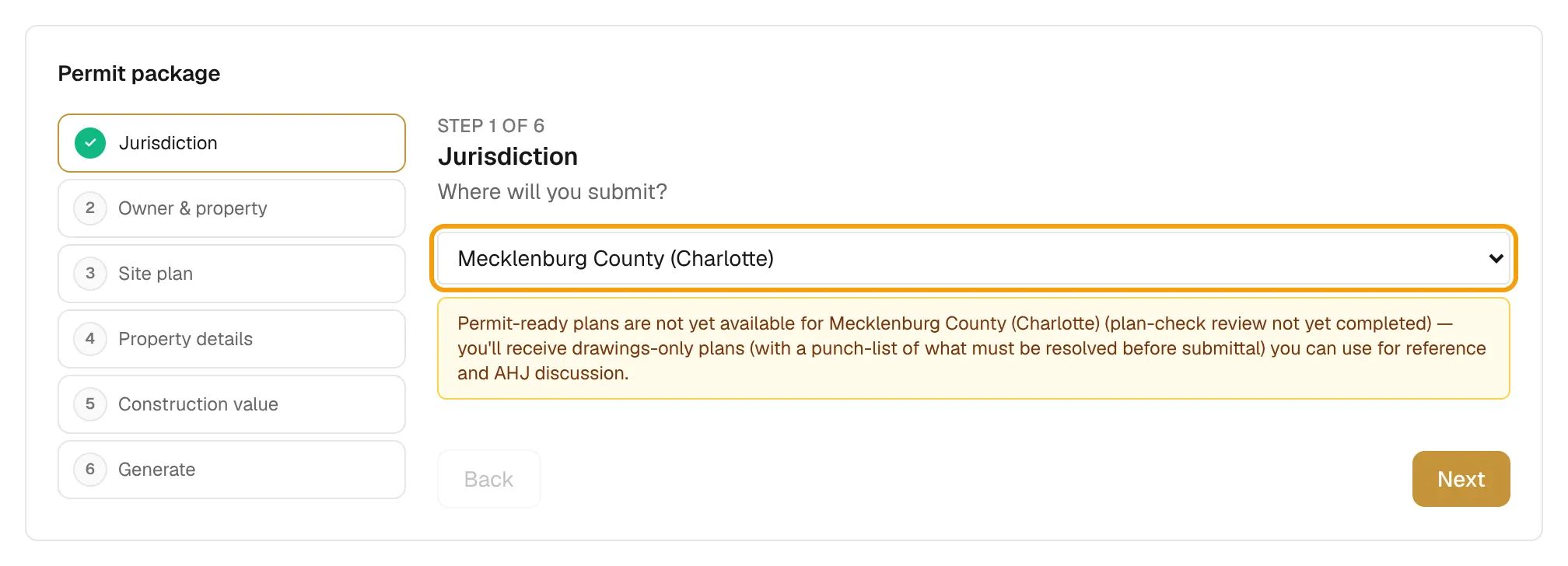
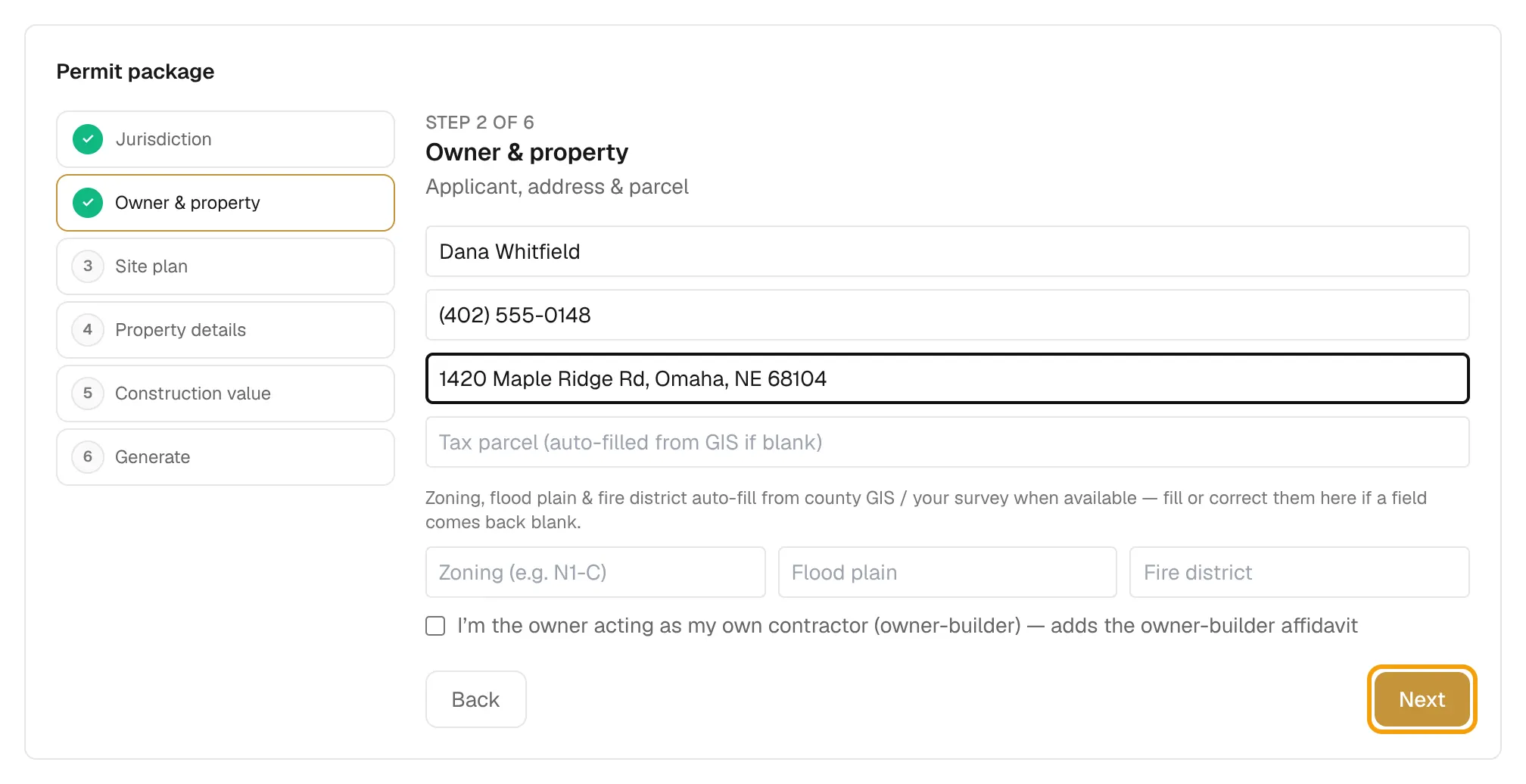
The wizard has six steps. A step gets a ✓ once you have visited it and filled in what it needs. Use Next and Back, or select a step in the list.
- Jurisdiction. Pick where you will submit. If the jurisdiction isn't fully supported, a note tells you what the package will include.
- Owner & property. Enter the owner name, phone, property address and tax parcel. Zoning, flood plain and fire district fill in from county records or your survey when available. Tick the owner-builder box if the owner is acting as their own contractor.
- Site plan. Draw and confirm the site plan. See Draw the site plan. You can't generate until it is confirmed.
- Property details. Optional: HOA, pool, intended use, site grade and site photos (Add photo).
- Construction value. Enter the estimated value. Foundation and setbacks come from your design and site plan.
- Generate. Tick the box that confirms you will review the draft, then select Generate Permit Package.
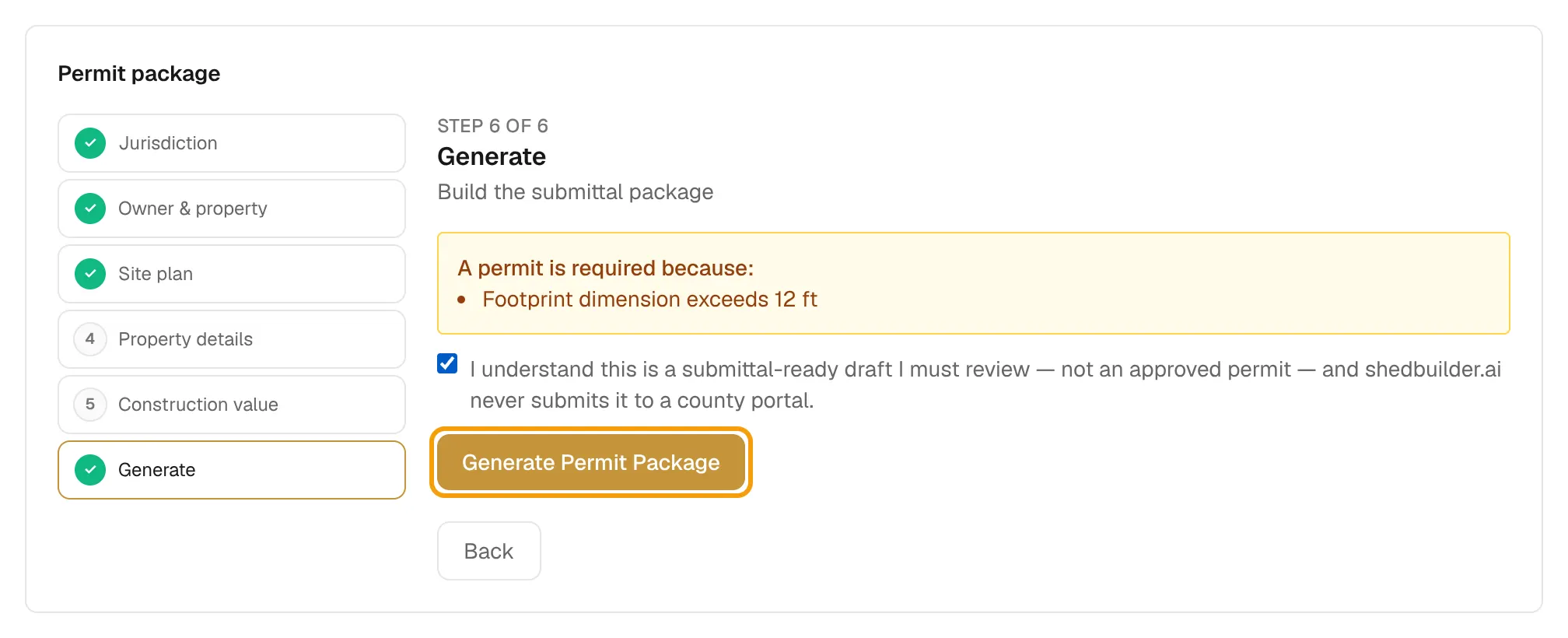
If the design is under the permit threshold, the header shows No permit needed. Tick My jurisdiction requires a permit anyway to generate one.
Review and download
After generating, check two lists:
- Resolve these before filing: items for you to fix.
- For your engineer: structural items for a licensed engineer in the project's state to review.
Then download three files:
| File | What to do with it |
|---|---|
| County forms | Sign and notarize, then upload as Documents. |
| Plan set | Upload as Plans. |
| Filing guide + checklist | Keep for reference. Do not upload. |
To change something, edit the step and select Regenerate. Each run gets a new revision number.
Charge for plans and permitting
- Go to Settings → Crew Pricing → Plans & Permitting and tick Enabled.
- Set Design fee — basic ($), Design fee — permitted ($), Design fee — conditioned ($), Permit package prep ($) and Site assessment ($).
- To override one project, open its Settings tab and pick Inherit workspace default, On — charge separately or Off — bundle into the build under Plans & Permitting. This applies to quotes created or regenerated after you save.
Owners, admins and estimators can run the wizard. Only owners and admins can change the fees.