The Builder Roster is the list of builders who receive bid invitations when a lead comes in. It is only for referral (affiliate) workspaces. If you do not see Roster in the sidebar, your workspace does not have it.
Import builders
- Select Roster in the sidebar.
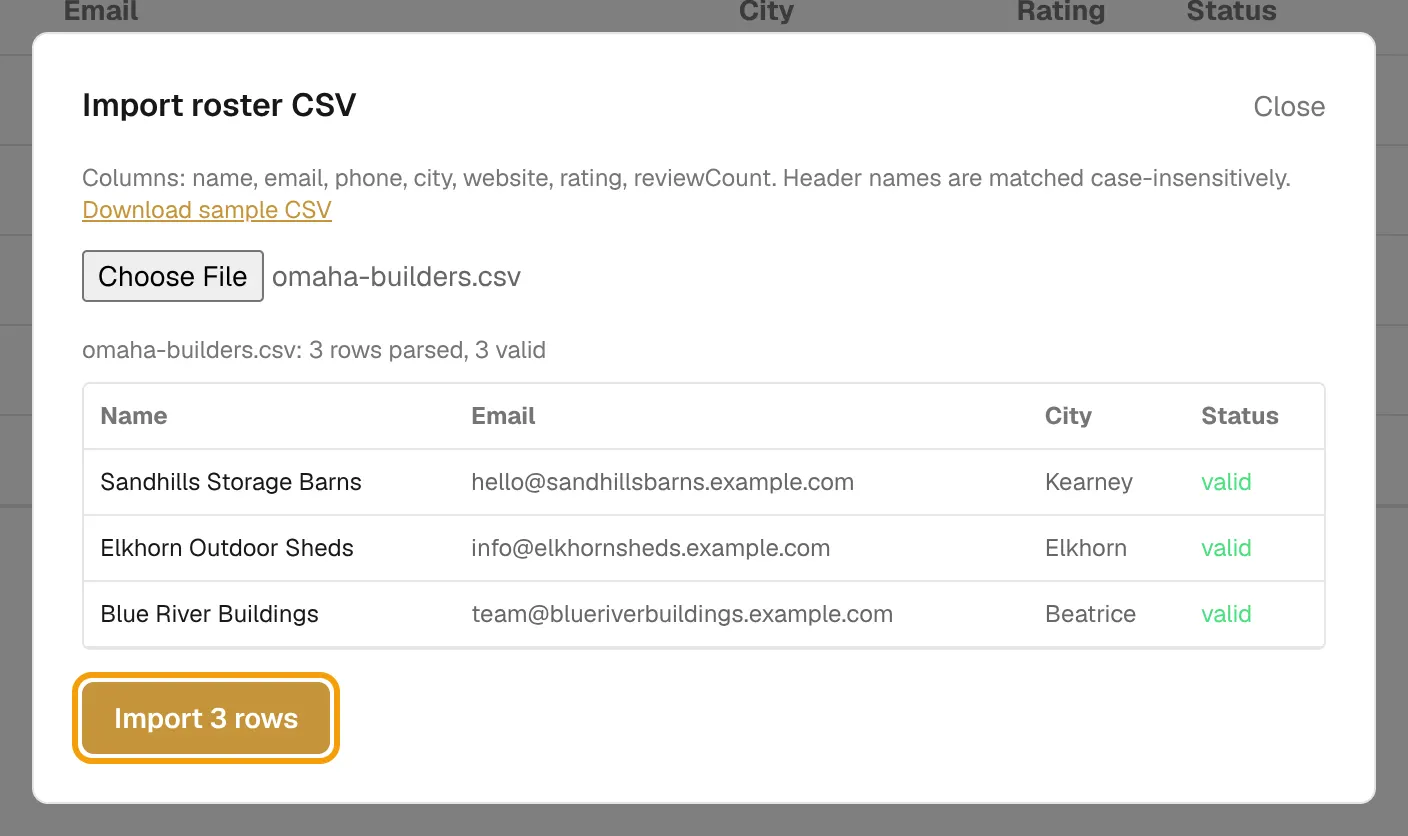
- Select Import CSV.
- Select Download sample CSV if you need a template. The columns are name, email, phone, city, website, rating and reviewCount. Header names are not case-sensitive.
- Choose your CSV file. The preview shows each row's Name, Email, City and Status, and how many rows are valid.
- Select Import N rows. Invalid rows are listed with the reason.
Read the roster
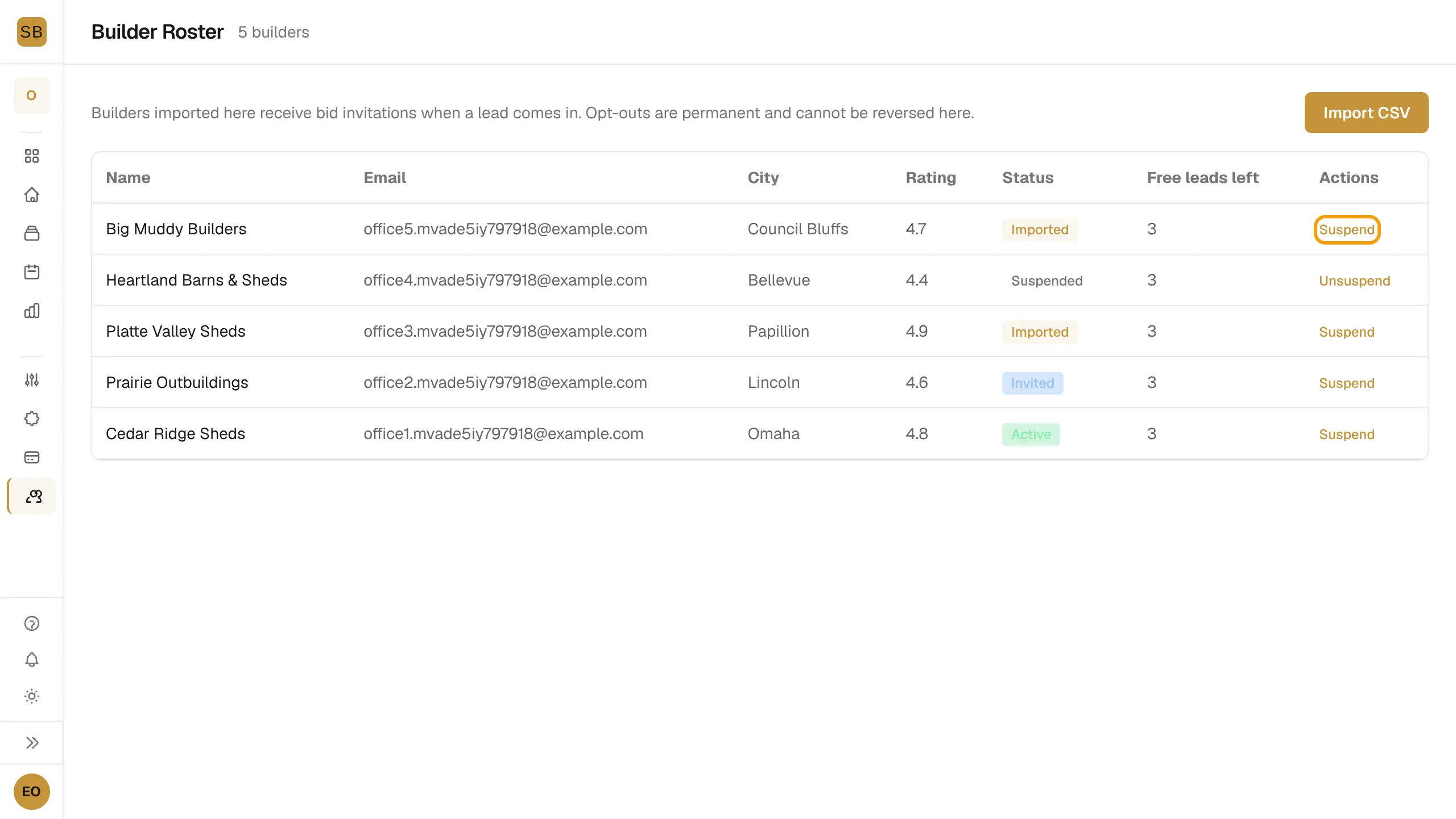
| Column | Meaning |
|---|---|
| Status | Imported, Invited, Opted out, Active, Converted or Suspended. |
| Free leads left | Free bids the builder has left before they need a paid plan. |
| Rating | The rating from your import. |
Suspend a builder
- Find the builder in the list.
- Select Suspend to stop sending them invitations. Select Unsuspend to restart.
Opt-outs
Every roster invite email has a link to remove the business. On that page the builder selects Remove my business and receives no more invitations.
Only owners and admins can import and suspend. See Bid on homeowner leads for what invited builders see.