The estimate prices every material in the design, adds labor and your margins, and gives a client price. It updates as you change the design.
Where the numbers show
| Place | What it shows |
|---|---|
| Price in the top bar | The running Total. On wide screens it also splits materials and labor. |
| Estimate workspace, Cost tab | The full take-off, labor, margins and Estimated Weight. |
| Estimate properties panel | Trades & Coordination, Sub quotes, Pricing assumptions and Purchasing. |
| Project page, Materials tab | The Bill of Materials for the design. |
Read the Cost tab
- Select Estimate in the workspace switcher.
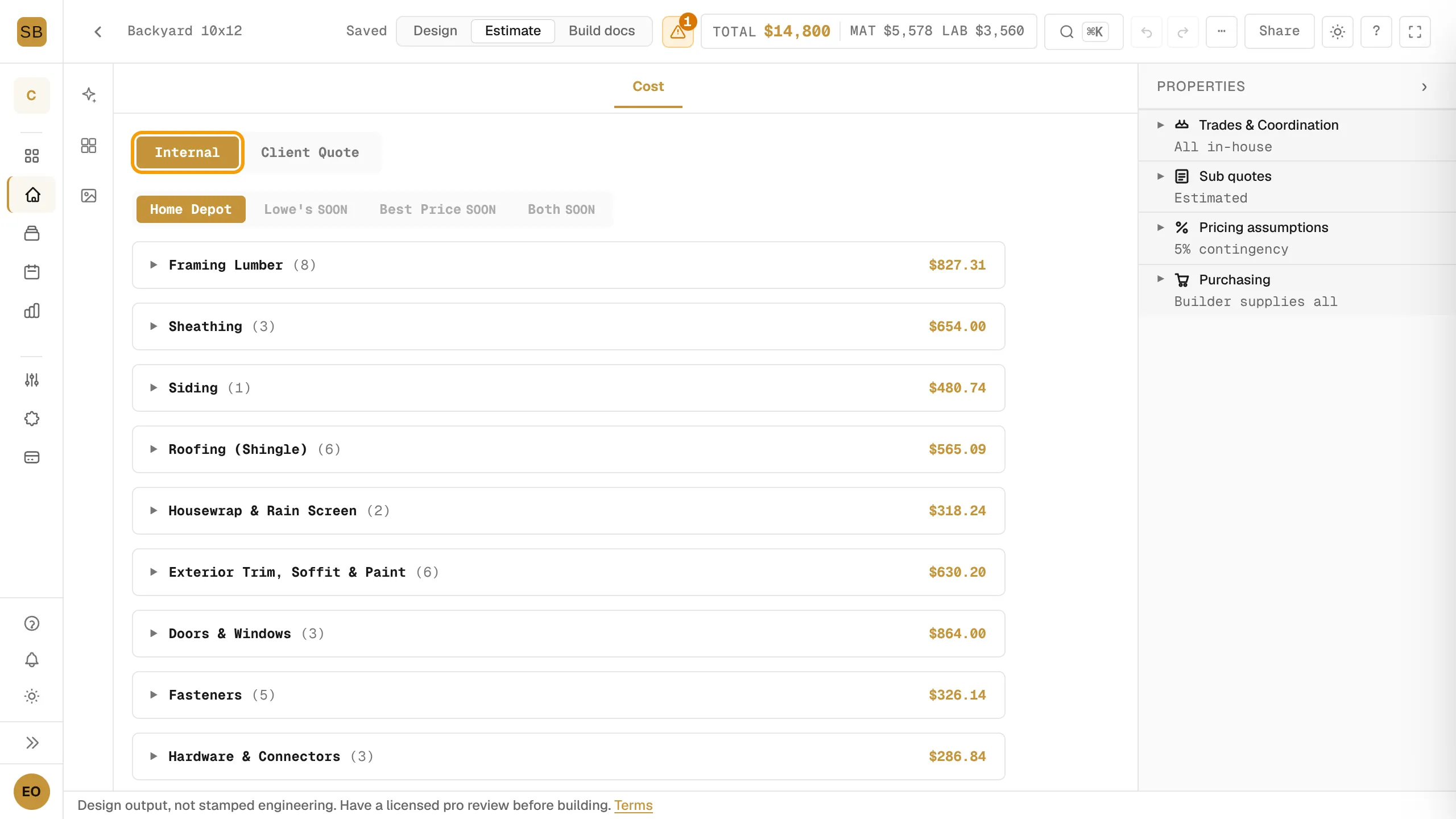
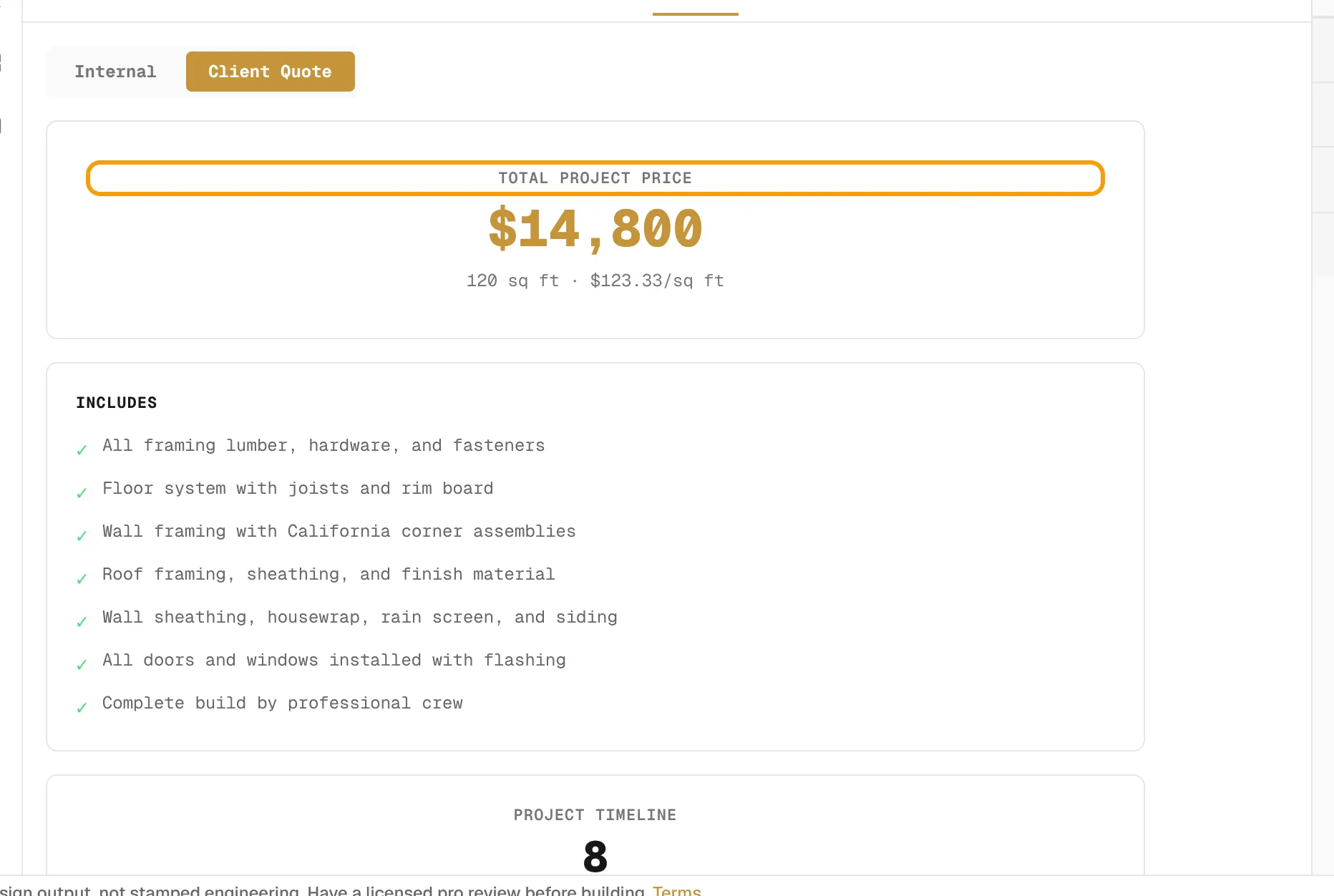
- Pick Internal to see your costs, or Client Quote to see what the customer sees: Total Project Price, what it Includes, and the Project Timeline.
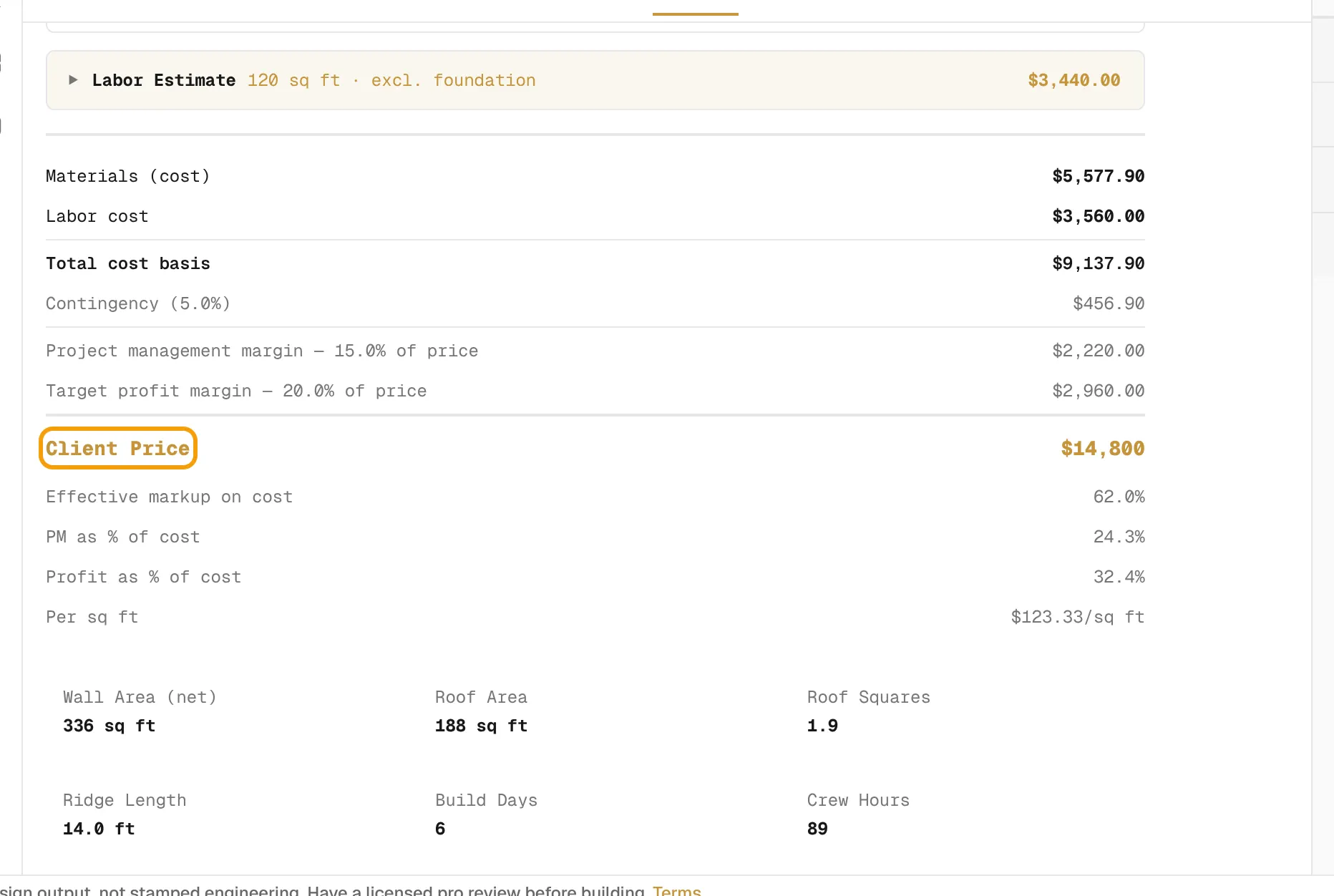
- In Internal, open a material section to see its lines. The Labor Estimate follows, then the totals: Materials (cost), Labor cost, contingency, Project management margin, Target profit margin and Client Price.
- Below the totals you see Per sq ft, roof and wall areas, Build Days and Crew Hours.
Margins are a percent of the client price, not a markup on cost. The Effective markup on cost row shows the same dollars as a markup.
Add your own costs
Use Custom Cost Lines in the Cost tab for dump fees, permits or special hardware. Each line needs a description and a quantity above zero to count. The lines carry into the quote.
Adjust the estimate
In the Estimate workspace's properties panel:
- Trades & Coordination: mark each trade In-house, Subcontracted or Not included.
- Sub quotes: type an electrical or HVAC sub's real number to replace the estimate.
- Pricing assumptions: set Contingency (default 5%).
- Purchasing: mark doors and windows the customer supplies. They price at zero.
Who sees what
- Owners and admins on a paid plan or an active trial see everything above.
- Estimators, viewers and lapsed workspaces see materials only, the custom lines read-only, and the Client Price.
- If the design's build documents are locked, each section shows three lines and hides quantities.
Labor rates and margins come from Settings → Crew Pricing. See Set crew rates, markup and calibration. Material prices come from Set material prices and your retailer.