Billing in the sidebar shows your plan, its status and your payment options. Everyone in the workspace can view it. Only the owner can change the plan or payment method.
Plans
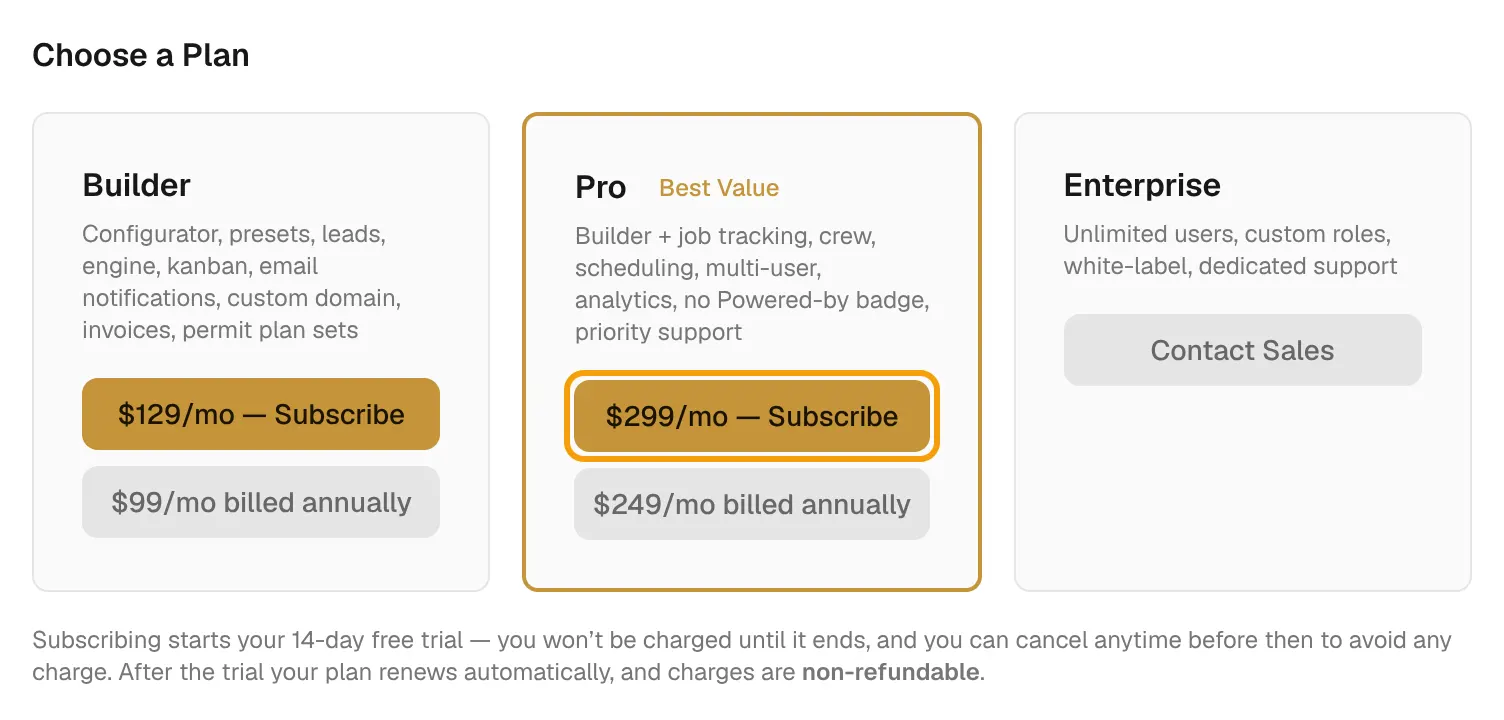
| Plan | Price | Adds |
|---|---|---|
| Builder | $129/mo, or $99/mo billed annually | Configurator, presets, leads and email alerts, the Projects board, custom domain, invoices and change orders, and permit packages. |
| Pro | $299/mo, or $249/mo billed annually | Everything in Builder, plus team members, scheduling, quote analytics, job tracking, crew management and removing the "Powered by" badge. |
| Enterprise | Contact Sales | Pro features with unlimited seats. |
Free trial
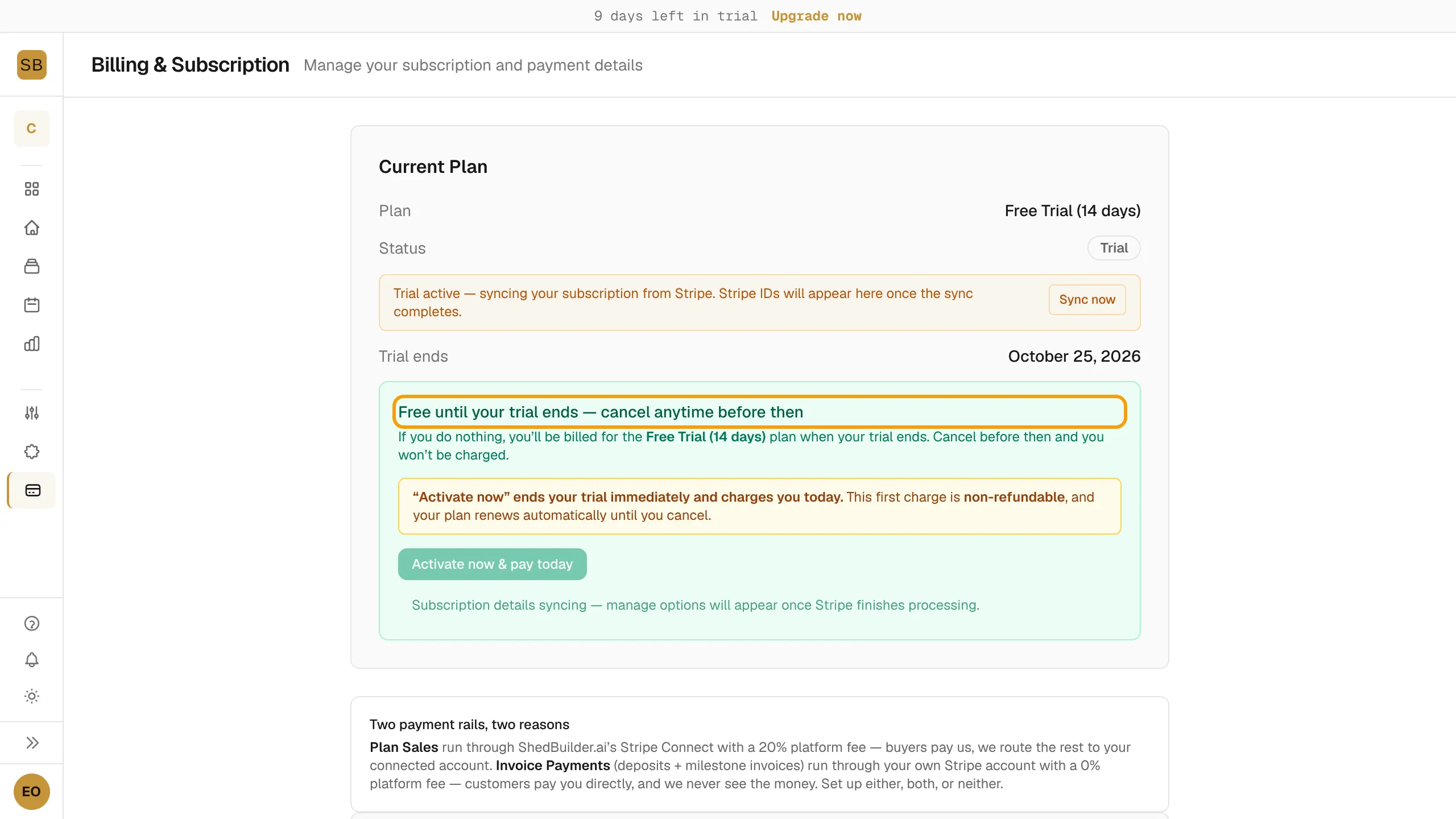
New workspaces start with a 14-day free trial. During the trial you get every Pro feature. In the designer, a Trial · N days chip counts down; select Activate to start paying.
On the billing page during a trial:
- Activate now & pay today ends the trial and charges you now.
- Cancel trial in billing portal cancels before you are charged.
If you do nothing, the plan you chose is billed when the trial ends.
Subscribe or upgrade
- Select Billing in the sidebar.
- Under Choose a Plan, pick monthly or annual on Builder or Pro.
- Complete checkout in Stripe.
On Builder, select Upgrade to Pro. Stripe shows the prorated charge before you confirm. If you are on a Builder trial, the trial continues and Pro pricing starts when it ends.
To change your card, see invoices or cancel, select Manage Subscription.
Payment problems
- Payment Failed — Update Your Card: your card was declined but the subscription is still active. Select Update Payment Method. Don't subscribe again, or you'll be billed twice.
- Account Paused — Payment Required: payment failed for good and the workspace is paused. Your public configurator keeps working, but the rest is locked. Select Update Payment Method to reactivate.
When a feature isn't on your plan, the page shows an upgrade card with Upgrade Plan.