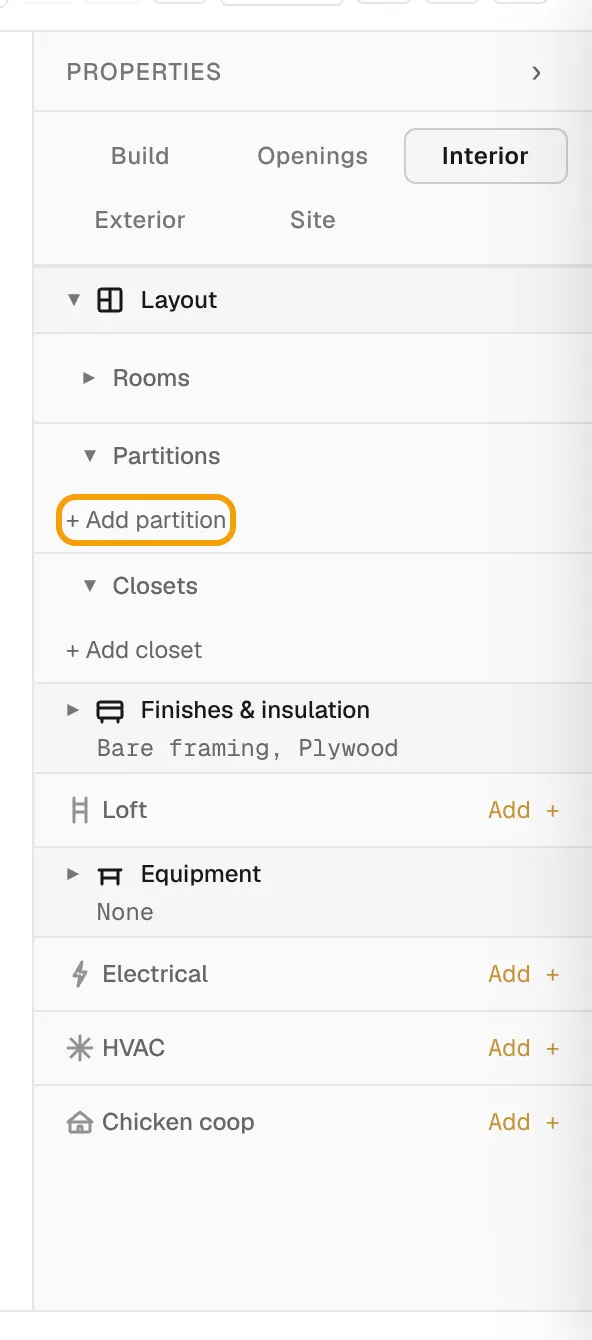
Everything inside the building is in the Interior tab of the properties panel. The sections run in build order: layout, finishes, loft, then the equipment inside.
Layout: rooms, partitions and closets
- Open Interior, then Layout.
- Under Partitions, select + Add partition to split the space.
- Under Closets, select + Add closet.
- Select a partition or closet row to edit its position and size.
Rooms lists the spaces your partitions create. You can rename a room there. With no partitions, the layout reads Open plan.
Finishes & insulation
Open Finishes & insulation to set:
- Walls: the interior wall finish
- Ceiling: the ceiling finish
- Flooring
- Insulation: for walls, ceiling and floor
Loft
- Open Loft and turn on Enable.
- Set the Depth, Height and Loft joists.
- Under Access, choose None, Ladder, Stair or Ship ladder.
- Set the Rail wall if you want a guard along the open edge.
Equipment
Open Equipment and select + Add fixture to place workbenches, cabinets, countertops or shelves.
Electrical
- Find Electrical and select Add +.
- Set Outlets, Interior lights, Exterior lights and Switches.
- To remove the package, select Disable next to Package.
HVAC
- Open HVAC.
- Set Mini-split to Add mini-split.
- Pick a Size and the Indoor wall.
Chicken coops
When the building type is Chicken coop, Interior also shows Flock & run and Coop equipment.
- In Flock & run, set the number of Hens.
- Select + Add a screened run and set its Run length and Run position.
- In Coop equipment, set up nesting boxes, roosts, pop doors and vents.
The coop section warns you when the space is too small for the flock.
In a builder workspace, the Optional features on the Presets page decide whether the loft, electrical, partitions, closets and coops are offered. See Set up presets for your configurator.