Designing is free. Editing, the 3D view and the running cost stay free. When you are ready to build, you pay once to unlock the plan set for that design.
What the plan set includes
One $99 payment unlocks, for one design:
- dimensioned drawings
- the cut list
- full material quantities
- printable plans, including the plan set download, a set of sheets that can support your permit application
- the complete build guide
It also includes 90 days of AI assist in the chat and 5 photo renders. Editing and your plans never expire.
Unlock a design
- Save your design first. If you have not, the designer asks you to Save your design. See Start designing your own shed.
- Select Get plans on the Free chip in the top bar. You can also select Unlock for $99 on any locked tab, such as Cut List.
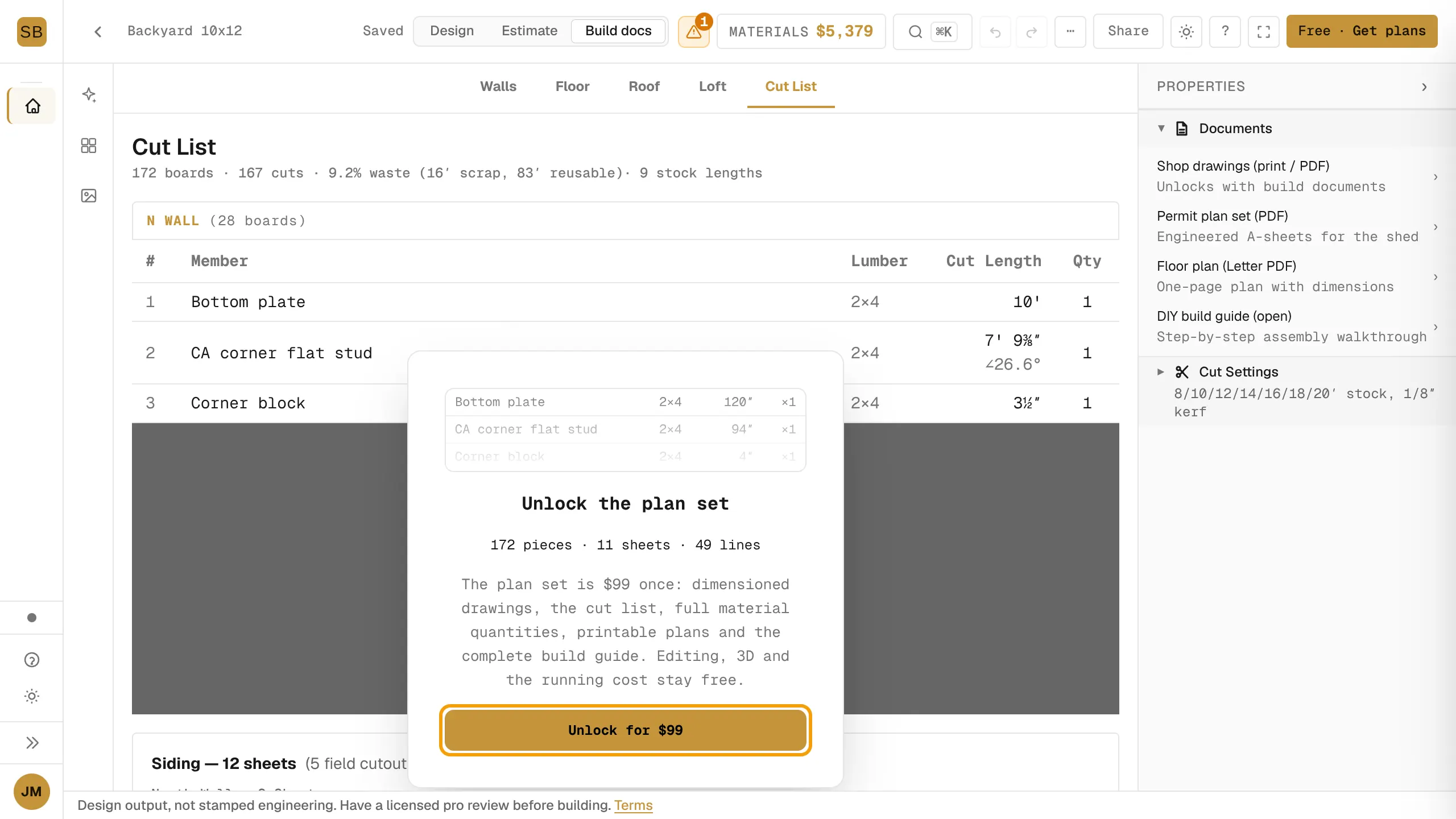
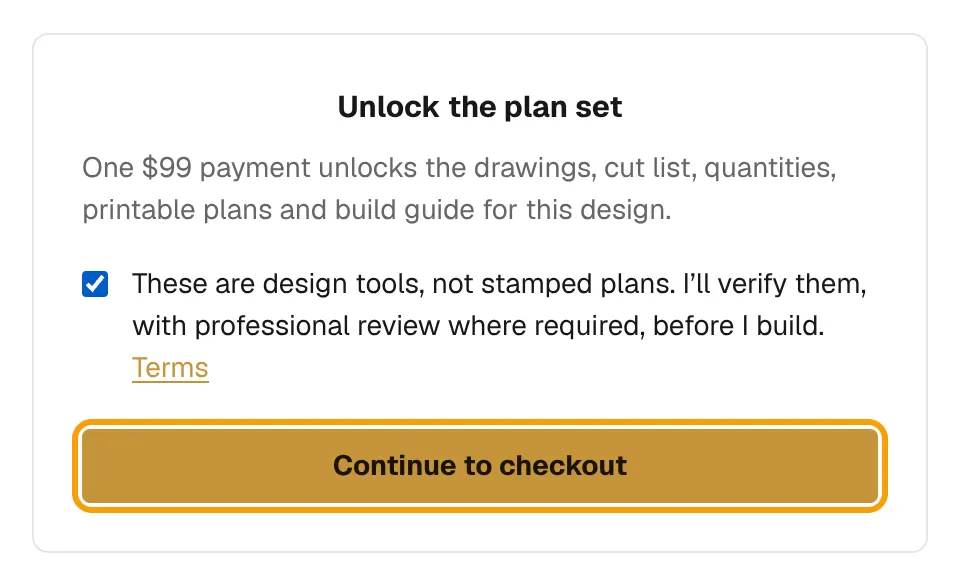
- On the Unlock the plan set page, read and tick the box: "These are design tools, not stamped plans. I'll verify them, with professional review where required, before I build."
- Select Continue to checkout and pay.
You come back to your design with the documents unlocked. See Get drawings and the plan set for where they are.
Compare options, then choose one to build
The Options bar at the top of the designer lets you try versions of the same design side by side.
- Select + Add option to copy the design into a new option you can change on its own.
- Switch between options by selecting their names.
- When you know which one you are building, select Build next to it, then Build this one.

The option you build shows ● BUILDING. Its cut list, drawings, printable plans and build guide unlock. Your other options stay editable but get no plans.
Why are my documents still locked?
- "Which version are you building?": you hold several options and have not chosen one. Choose one as above.
- "We couldn't confirm your access": we could not check your purchase just now. Select Try again. You have not lost anything.
- "This design's package was closed": the package was refunded. Contact support from the ? menu.